
Types of Printer Test Pages and Their Uses
So your printer is not working properly, and you need to try a print test page, but not sure which type of printer test page to use? This guide will enable you to choose the right printer test page for your printer’s testing.
Read this complete guide and find out what the right types are for your printer. Also, I will tell you how to improve printer maintenance efficiency and reduce hardware downtime.
Types of Printer Test Pages
Let’s have a look at all the major types of printer test pages.
Black and White Test Pages
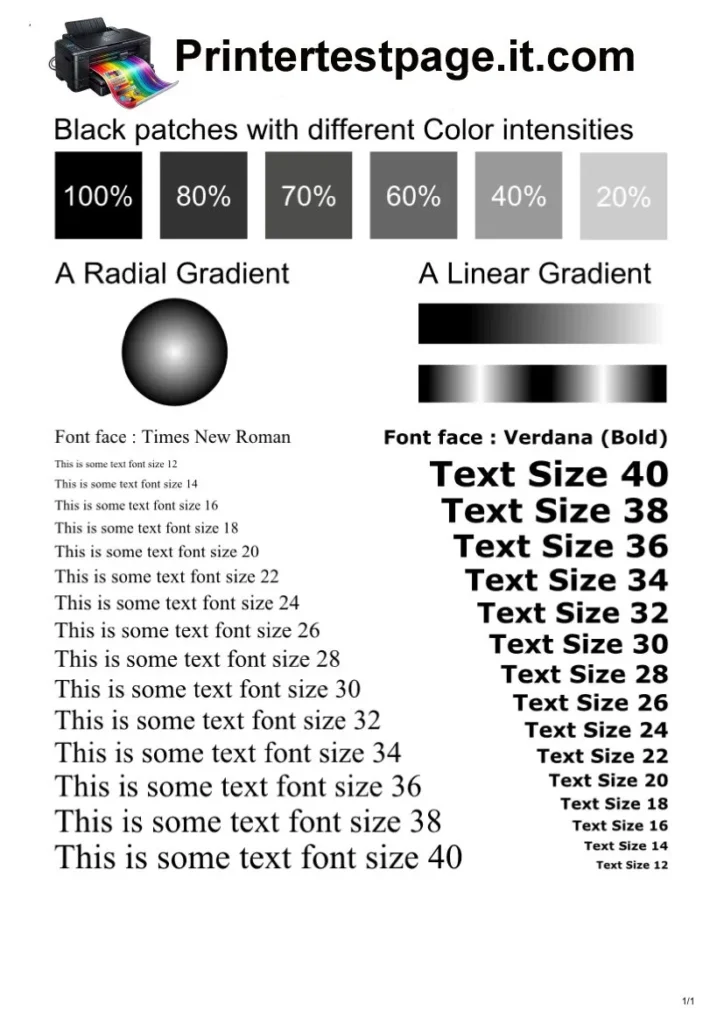
One of the most common types of printer test pages is black and white test pages. It measures the performance of monochrome printing systems. These pages show you solid black patterns, grayscale shades, and text blocks.
You can use the black and white test page to verify the printer’s toner density, the sharpness of characters, or grayscale transitions.
Black and White Test Pages support the following functions:
- Evaluate black ink or toner coverage consistency.
- Detects faded text or incomplete character shapes.
- Identify streaking caused by dirty rollers.
- Confirm printer readiness for document printing.
- Check grayscale transitions from 0% to 100% black.
The majority of offices use black and white test pages, as they depend on large volumes of text printing. Also, these pages are necessary for laser printers during routine maintenance.
An accurate grayscale level is from 16 to 256 shade levels for the majority of the printers. If your printer is showing a lower level from 16 to 256, then it has toner depletion or drum wear.
Moreover, if your printing results show repeated streak patterns, this indicates damaged rollers or worn imaging drums. You can test this using black and white test paper.
Color Test Pages
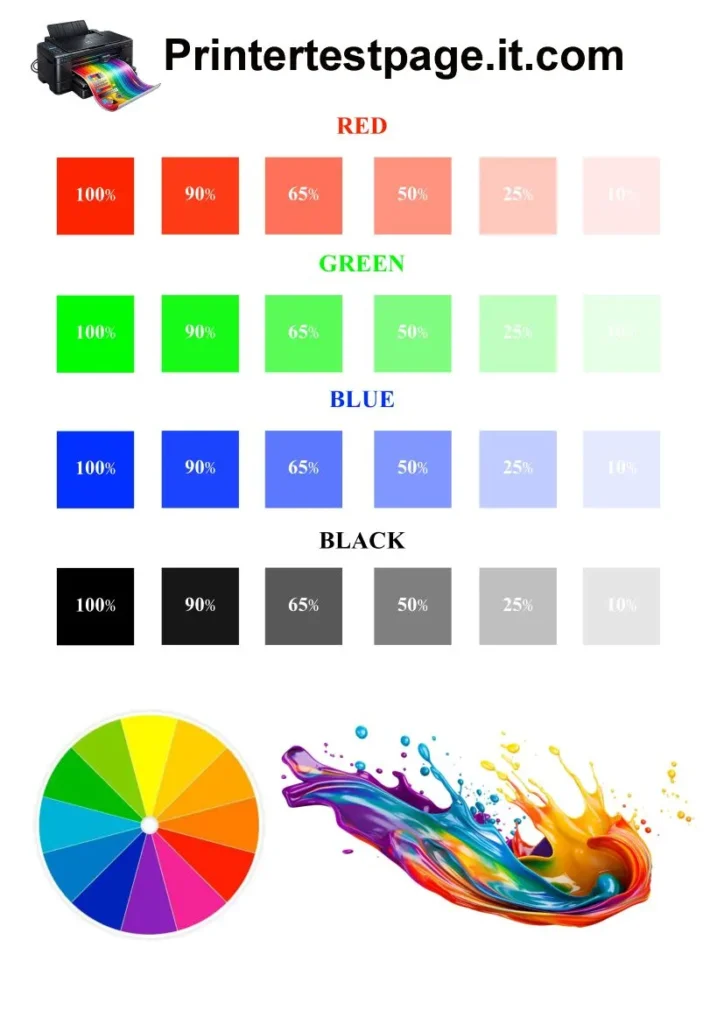
To verify your color printer’s output accuracy, you need to use a color test page. These pages help you to identify color issues. Color pages have colored blocks, text samples, and mixed-color gradients.
You need to maintain color consistency if you are using an Inkjet or color laser printer.
Color test pages support these diagnostic tasks:
- Verify cyan, magenta, yellow, and black color accuracy.
- Identify missing color channels.
- Detects uneven ink distribution.
- Evaluate mixed color blending accuracy.
- Confirm uniform color saturation levels.
Color test pages also include CMYK color bars with density values between 0% and 100%.
Inkjet printers mostly use pigment or dye-based inks. Each ink type has a different paper absorption rate. Uneven color output indicates clogged nozzles or low ink levels.
Color test pages help graphic designers and photographers who require precise color matching.
Professional printers often target color deviation values below Delta E (ΔE) 2 to 5 units. Higher deviation levels signal calibration problems. You need to keep using these test papers to avoid costly reprints.
CMYK Test Pages
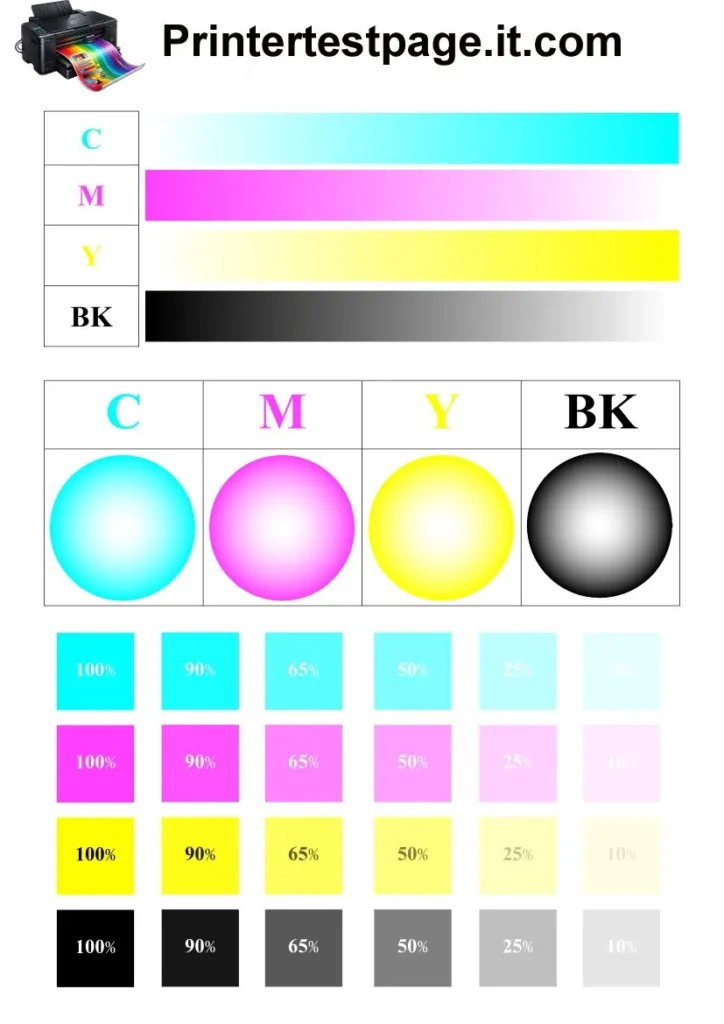
CMYK stands for cyan, magenta, yellow, and black. As the name suggests, CMYK test pages provide structured testing of cyan, magenta, yellow, and black ink channels. These pages show solid color blocks and mixed color patterns that help in measuring color channel independence and blending accuracy.
CMYK test pages support the following assessments:
- Verify individual color channel strength
- Evaluate overlapping color mixing
- Detect cross-color contamination
- Measure color density consistency
- Confirm correct ink cartridge installation
CMYK test pages have color bars at different density intervals such as 25%, 50%, 75%, and 100%. Each density level helps you to identify how accurately the printer reproduces specific tones.
CMYK test pages are very crucial for professionals, such as calibration. They also have ICC profile calibration. ICC stands for International Color Consortium. ICC profiles standardize color output on different devices such as scanners, printers, and monitors.
Alignment Test Pages
These pages help you to find out the mechanical positioning accuracy of your printer. With the help of multiple line patterns and reference markers, you can check out the correct print head alignment.
Alignment test pages support the following tasks:
- Detects horizontal misalignment between print passes.
- Detects vertical misalignment between print lines.
- Correct overlapping or double-image patterns.
- Improve edge clarity in printed graphics.
- Maintain consistent spacing between printed elements.
Those who are using inkjet printers with moving print heads, they need to use these alignment test pages. The main reason for the printer’s misalignment is due to a slight shifting of the print heads during the printing process. Even a displacement of 0.1 to 0.3 millimeters can cause misalignment and can reduce print clarity.
Nozzle Check Test Pages
Are you using an inkjet printer? Then, try a nozzle check test page to diagnose ink flow conditions. These pages display small line grids for each color channel. Each line corresponds to an individual nozzle opening.
Nozzle check test pages support these diagnostic operations:
- Identify clogged ink nozzles
- Detect partial ink flow interruptions
- Confirm proper ink distribution
- Monitor print head health
- Validate cleaning cycle effectiveness
A standard inkjet printer has 100 to 1,000 individual nozzles and it all depends on the model and brand of the printer. For example, the HP Z6600 has 1,056 nozzles per color.
A printer with a blocked nozzle creates broken or missing lines. Users can initiate cleaning cycles after detecting missing segments. The main reason for a clogged nozzle is due to dried ink residue.
Moreover, some environmental conditions, such as temperature between 10°C and 35°C and humidity between 20% and 80%, also influence nozzle health.
Gradient Test Pages
Gradient test pages are helpful to evaluate smooth transitions between color tones. Gradient test pages display gradual color shifts from light to dark levels. With the help of this color shift, you can measure tonal continuity and banding presence easily.
Gradient Test Pages support the following evaluations:
- Detect visible banding across gradients
- Measure the smoothness of tonal transitions
- Evaluate printer dithering performance
- Confirm consistent ink mixing behavior
- Identify abrupt color intensity changes
Gradient test pages display tonal ranges from 0% to 100% intensity. Smooth transitions indicate accurate color mixing and proper print head performance. If you are seeing visible lines between tones, it means there is a hardware or driver issue.
Practical Value of Understanding Printer Test Page Types
You can improve your printer’s efficiency and prevent long-term hardware damage by understanding the practical value of printer test pages. You can choose the right printer test page for your specific need or diagnostic role.
Different user roles benefit from specific Printer Test Page Types:
- Office administrators rely on Black and White Test Pages to maintain document clarity
- Designers depend on Color Test Pages and Gradient Test Pages for visual accuracy
- Technicians use Alignment Test Pages to correct mechanical precision
- Home users run Nozzle Check Test Pages to prevent ink blockage
- Commercial printers rely on CMYK Test Pages to maintain color consistency